Inventory
- Products and stock levels
- Reserved vs available stock
- Dispatch
- Purchasing

Keep products, stock levels, dispatch and purchasing in the same system as your quotations, orders and invoices, so stock and sales stop living in separate sheets.
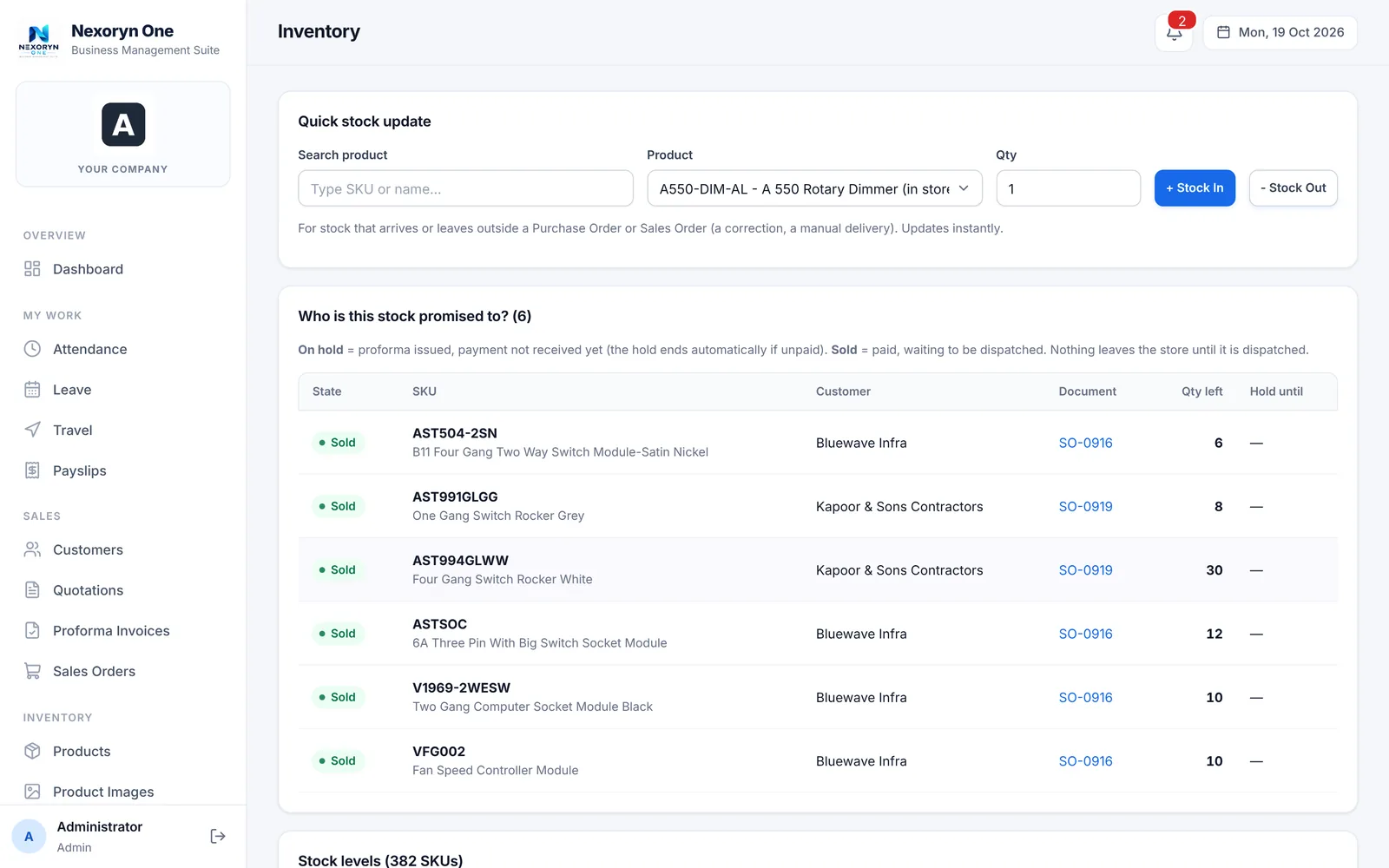
Nexoryn One tracks products, stock levels, reserved versus available stock, dispatch and purchasing in the same system as sales and invoices. Quotations flow into orders, stock and invoices, so you are not exporting between tools.
From the first quotation to the paid invoice, the same record moves forward.
Knowing what is on the shelf is not enough. You also need to know what is already promised to a customer.
Product screen shown with sample demonstration data.
A quotation becomes an order, the order touches stock, and the invoice follows, all with the same customer and product records.
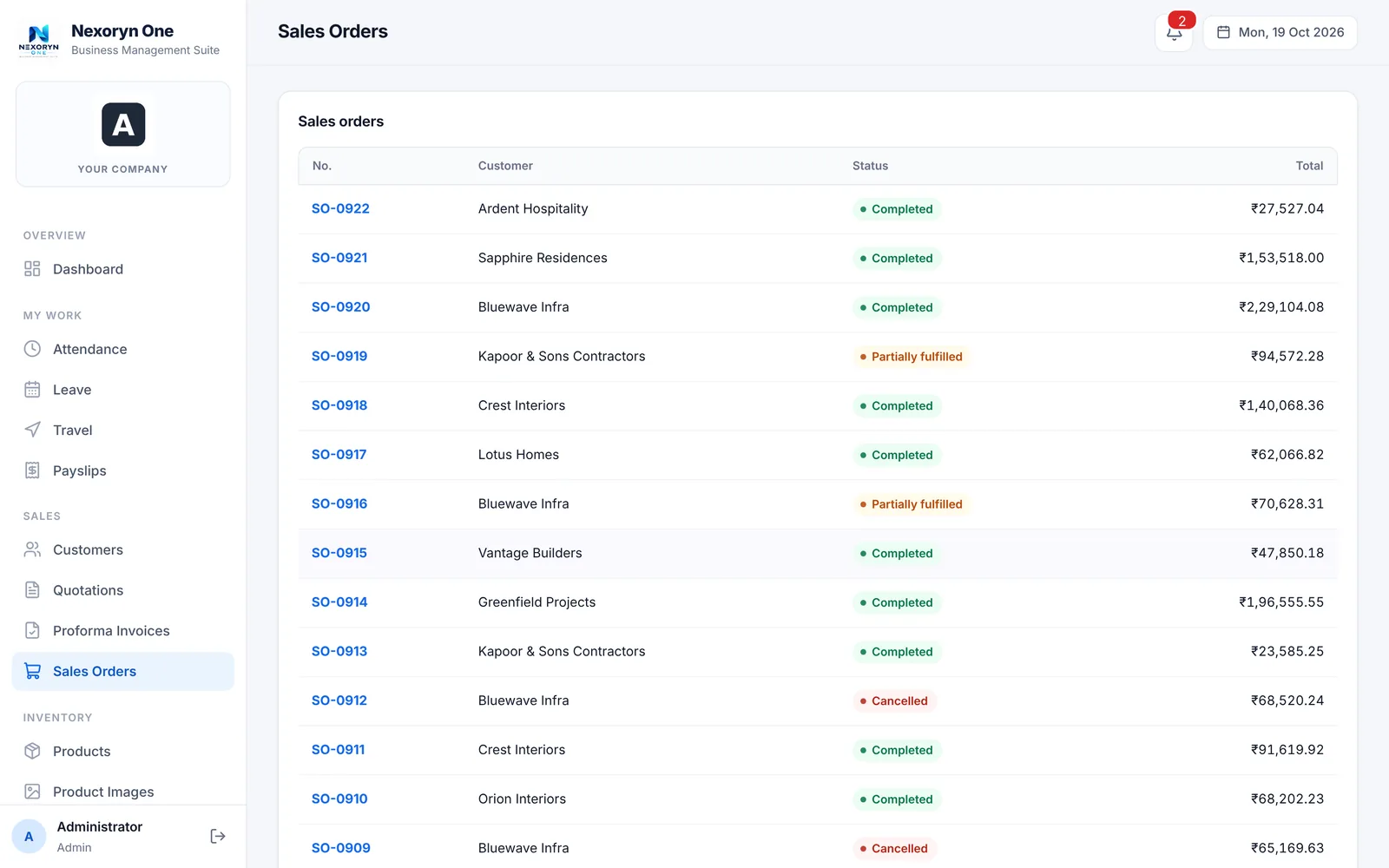
Product screen shown with sample demonstration data.
Choose software around the work your team needs to do, not around a long feature list.
Review how your team records items, tracks stock changes, handles low-stock checks, connects sales activity and prepares reports. Validate whether the product supports your specific warehouses, variants, barcodes or accounting integrations before purchase.
Ask our teamEstimate the real cost of setup, data cleanup, user access, training, integrations and ongoing support. Test the workflow with representative sample data and confirm how records can be exported.
See plans & pricingIf your procurement, stock movement or approval process is unusual, document the steps and exceptions. Nexoryn Security can discuss a custom solution or integration after technical discovery and written scoping.
Custom softwareWhat owners and operations heads ask before booking a demo.
Yes. The inventory module keeps products, stock levels and the difference between reserved and available stock, along with dispatch and purchasing.
Yes. Quotations flow into sales orders, stock and invoices inside the same system, so sales and stock are not kept in separate tools.
Quotations and proforma invoices are GST-ready, with rupees and Indian number grouping such as 12,34,567. Quotations support revisions and product pictures, with print and Excel output.
These are not listed as standard features. Tell us your requirement and we confirm in a demo what is in scope and what can be added as a customisation.
Yes. The administrator decides, person by person, who can open what. For example, each salesperson sees only their own quotations unless more access is granted.
Tell us about your team and the processes you want to bring together. We’ll follow up to discuss a demo.
Phone / WhatsApp
97627 30903
contact@nexorynsecurity.in